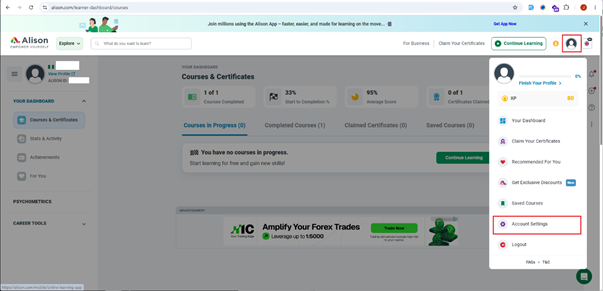
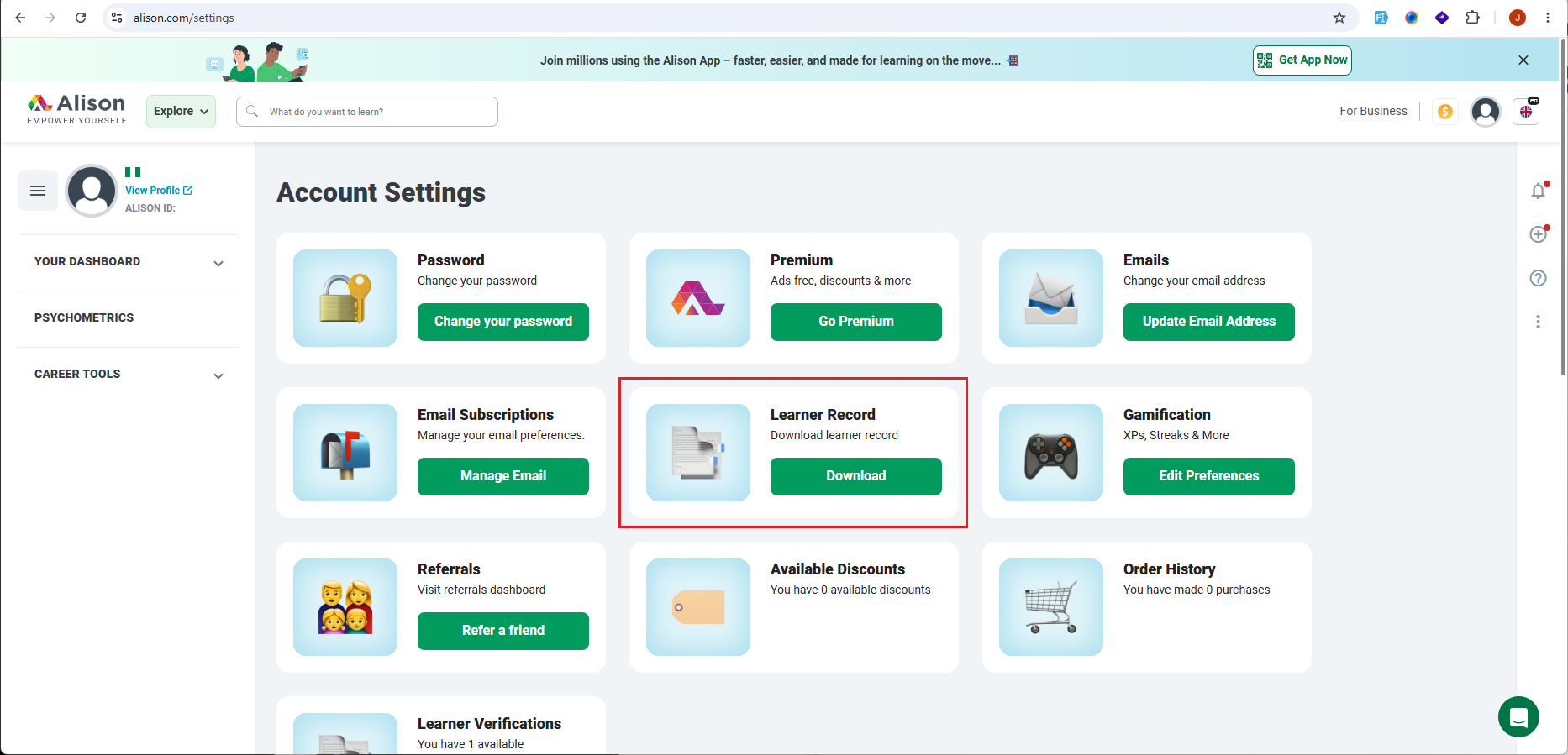
For this training, the Learner Record is the required proof of completion. It shows the courses completed on the Alison platform, and can be obtained by following the steps below.
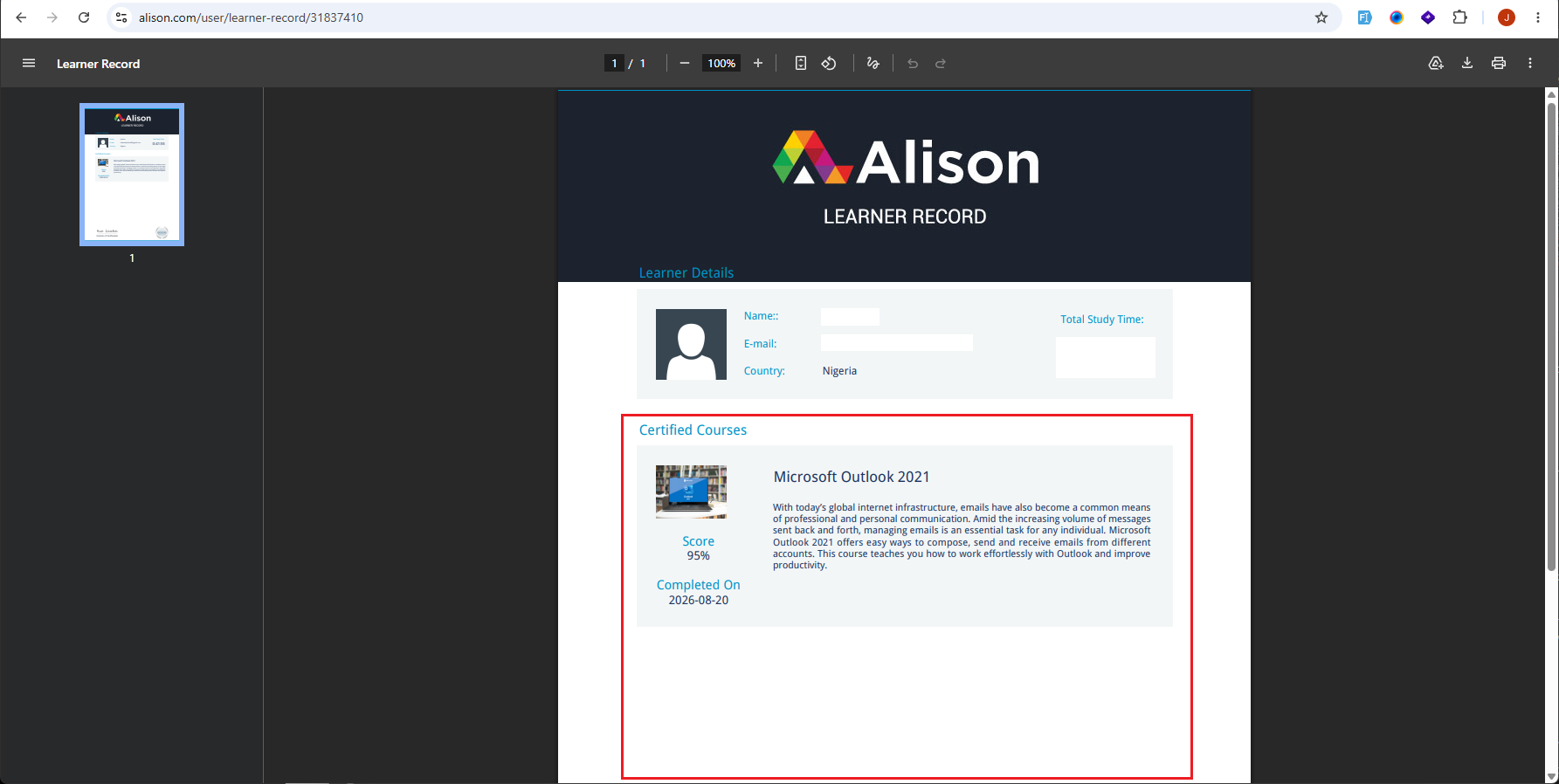
The downloaded Learner Record is the document to upload using the certificate field on the submission form.